Understanding The Kits AI Singing Voice Generator
Written by
The Kits Team
Published on
March 4, 2024
Getting a great vocal used to mean booking a singer, a studio, and hoping everything clicked. An AI singing voice changes that, letting you create expressive, production-ready vocals from your own recordings or from text, all in your browser.
At its core, an AI singing voice generator uses machine learning to create or transform vocal performances. AI models are trained on diverse vocal data to enable realistic synthesis. Instead of simply editing audio, it synthesizes a voice using models trained on real vocal data, allowing producers to generate realistic vocals with control over tone, style, and delivery.
There are two primary ways this works. The first is voice-to-voice conversion, where you upload a vocal recording and the AI transforms it into a new voice while preserving your original timing, pitch, and expression. The second is text-to-singing, where you input lyrics and the AI generates a complete vocal performance from scratch, no microphone required.
Behind both approaches are voice models, which capture the unique characteristics of a singer’s tone and style. Understanding melody is crucial for generating lifelike singing performances, as it allows the AI to capture musical nuances, rhythm, and pitch. Kits AI offers over 100 of these models in its Voice Library, all ethically sourced from real artists who have consented to their use and are compensated for their contribution. If you want even more control, you can also create your own model through voice cloning, by training an AI version of your voice.
Whether you’re sketching ideas, producing full tracks, or experimenting with new vocal styles, AI vocals are quickly becoming an essential part of the modern production workflow, helping you spend less time on logistics and more time creating.
What is an AI Singing Voice Generator?
An AI singing voice generator uses artificial intelligence to create or transform vocal performances, producing expressive, production-ready vocals from either audio input or text.
There are two main approaches to generating vocals with AI. Voice-to-voice conversion transforms a recorded vocal into a new AI voice while preserving the original performance. Text-to-singing, on the other hand, generates a completely new vocal performance from typed lyrics. This process is similar to text to speech technology, but it is specifically designed for musical and singing applications.
Unlike older tools that relied on MIDI input and required extensive manual editing, modern AI singing voice generators are trained on real vocal data. This allows them to produce far more natural and expressive vocals that are ready for real production use.
How Do AI Singing Voice Generators Work?
At a high level, AI vocal tools analyze and rebuild the essential components of a vocal performance, including pitch, timing, tone, and expression.
In a voice-to-voice workflow, you start by uploading a vocal recording, which could be anything from a rough phone memo to a polished studio take. The AI then analyzes key elements such as pitch contour, phrasing, timing, and expressive nuances. Using this data, a voice model re-synthesizes the performance in a completely new voice. The end result is a vocal that sounds like a different singer, while still retaining the feel and intention of your original performance.
Modern AI singing voice models are trained on large datasets of real vocals, which allows them to replicate subtle human qualities like vibrato, breath control, and natural pitch variation. Kits AI builds on this with its proprietary voice conversion system, delivering cleaner note transitions, more stable pitch, and more natural phrasing, especially in voice-to-voice workflows.

Two Ways to Create an AI Singing Voice with Kits AI
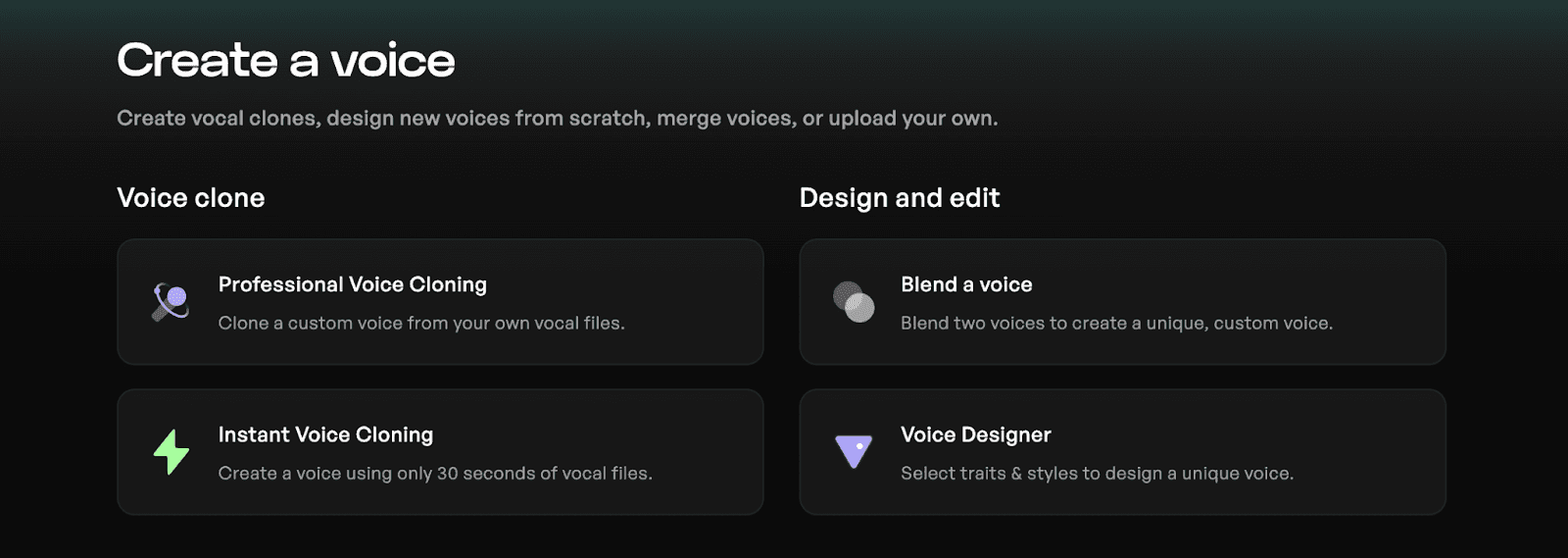
Kits AI gives you two distinct paths to generating vocals, allowing you to choose the approach that best fits your creative workflow. Kits AI also enables users to create and customize their own AI singer, with options for gender, vocal style, and managing multiple voices for different creative projects.
Path A: Voice-to-Voice Conversion (Recommended)
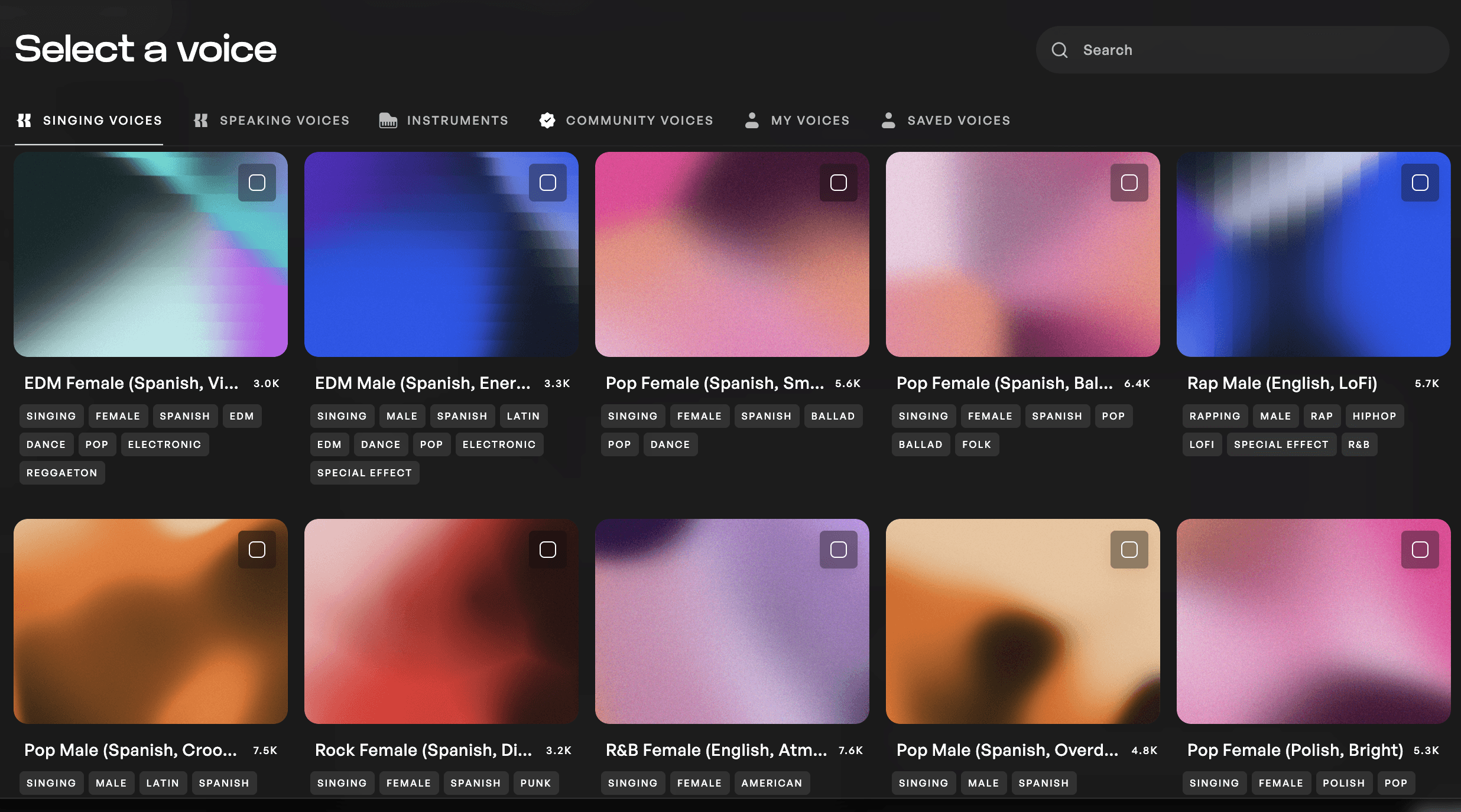
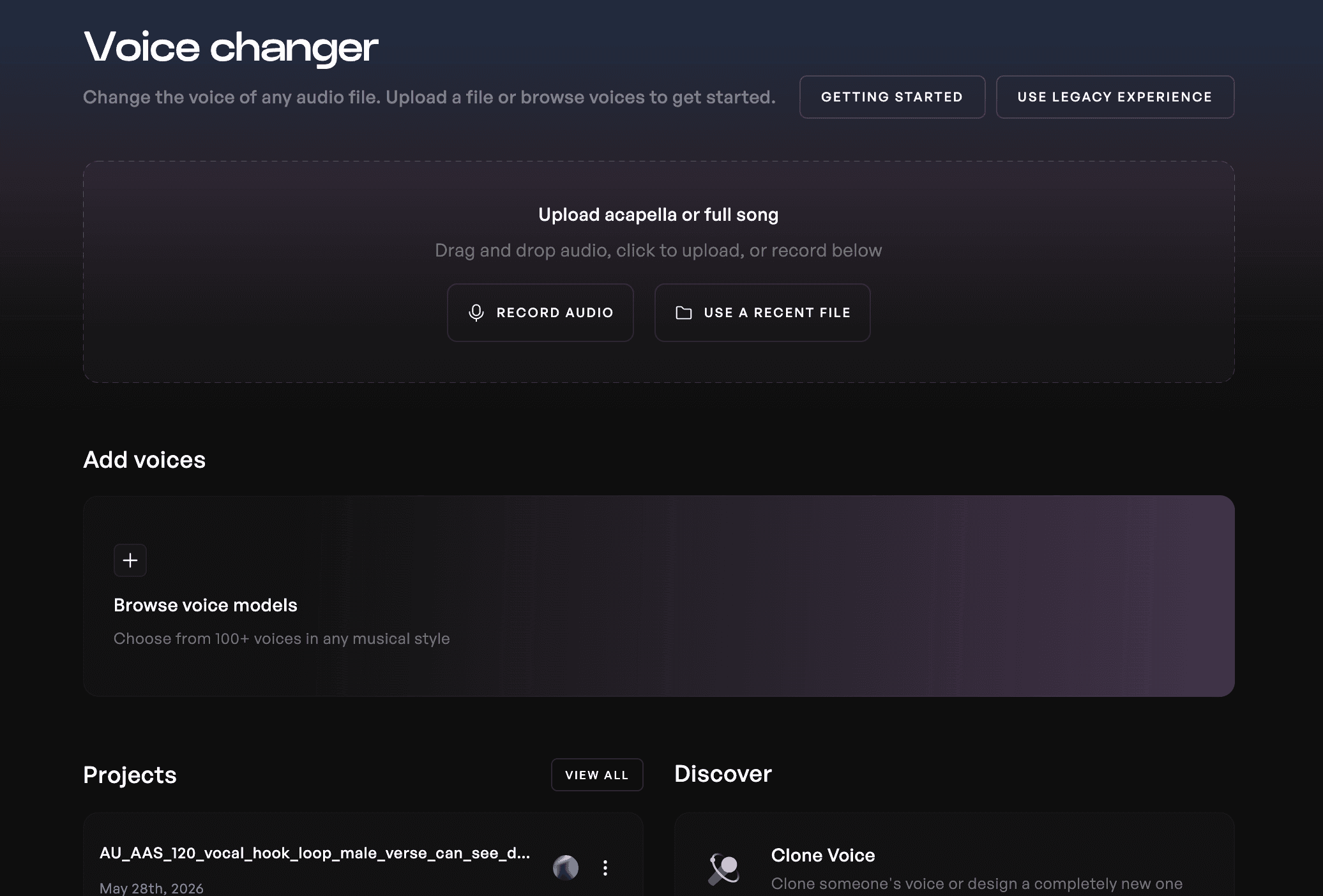
With voice-to-voice conversion, you begin by uploading a vocal file, whether it’s a WAV, MP3, or even a quick phone recording. From there, you can browse the Voice Library, which includes over 100 royalty-free AI voices that can be filtered by style, genre, and range. After selecting a voice model, the platform converts your vocal into the new voice while preserving the performance. Once complete, you can review multiple outputs, download your preferred version, and bring it directly into your DAW.
Advanced features like Voice Designer allows users to blend timbres, model voices for collaboration, and enhance vocal quality by manipulating vocal characteristics.
This method is ideal for producers who want the most expressive and realistic results, since it retains the nuances of an actual performance.
Path B: Text-to-Singing (No Mic Required)
Tutorial: Generating AI Vocals on Kits
Generating vocals with Kits AI is a seamless process, tailored for ease. One standout feature of Kits AI is its ability to generate singing vocals from either text or audio input, giving users flexibility in their creative process. The platform allows users to input text lyrics to transform into vocals with AI, and the AI can sing your lyrics in various styles. Here’s a brief guide on how to generate vocals using Kits AI:
1. Head over to the Kits AI Vocal Generator

2. Type your lyrics that you want to generate into vocals

3. Choose a singing voice and adjust your settings

4. Hit Generate Vocals to create 3 unique vocal generations
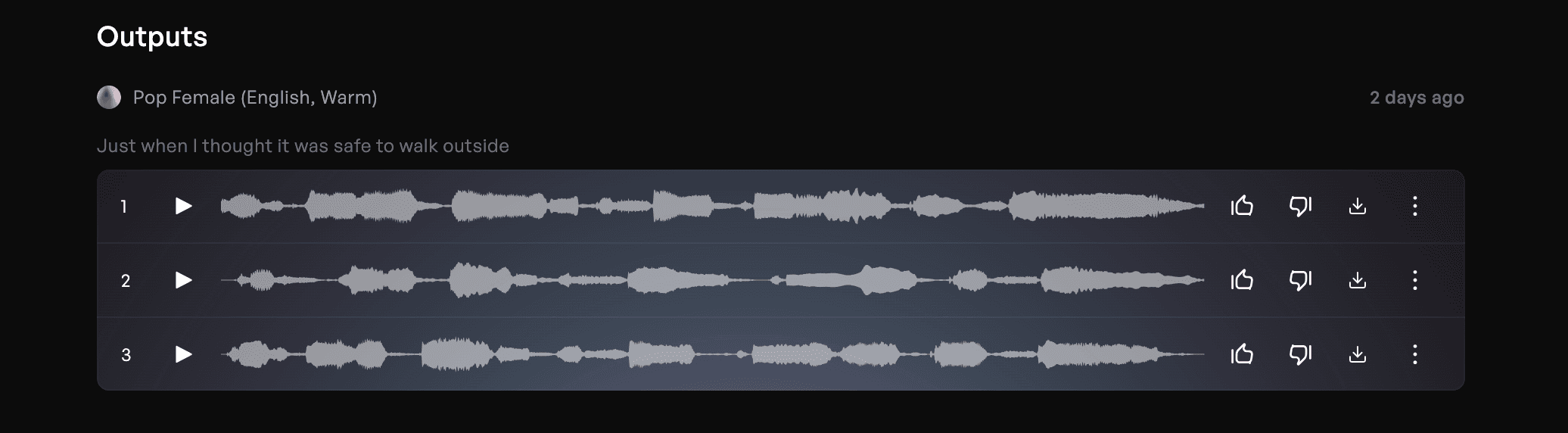
Once your generations are complete, you'll get 3 outputs of generated singing to choose from. As a tip, we recommend using shorter lyrics for better generations rather than whole verses.
This approach works especially well for ideation and quick sketches. However, for final production, voice-to-voice conversion often delivers more natural and emotionally convincing results because it is built on a real performance.
Pro Tip: Your Own Voice, Your Own Model
You’re not limited to the built-in Voice Library. Kits AI allows you to train your own custom AI voice model by recording your own dataset for a model to train with. It is important that your provided dataset covers a wide range of both pitch and delivery, this will ensure your voice model retains your natural timbre and character. Training your own model also opens the door to earning passive income if you choose to share your model with the community through the Kits Earn program.
YouTube: "Guided Voice Cloning: Make Your Own AI Singing Vocal Model in Under 5 Minutes" posted by Kits.AI
Tips for Getting the Best Results from an AI Singing Voice
Before converting your vocals, it’s important to start with the best possible source material. Your audio should be dry, meaning it should not include reverb, delay, or heavy effects, and it should feature only a single voice without background music or harmonies. Choosing a voice model that matches your vocal range and style will also help ensure more natural results. If your recording is rough, cleaning it up beforehand can significantly improve the final output. Listening through headphones during comparison can also help you make more precise decisions.
YouTube: "How to Get High-Quality AI Voice Clones for Music | Kits.ai Best Practices" posted by Kits.AI
Beyond the basics, a few best practices can make a noticeable difference. Starting with a clean recording allows the AI to process your voice more accurately, resulting in a more natural sound. Matching the voice model to your input reduces the amount of transformation required, which helps preserve realism. Even a rough vocal performance can go a long way, since voice-to-voice conversion relies heavily on your pitch and phrasing. It’s also worth trying multiple voice models on the same take, as subtle tonal differences can dramatically affect how the vocal sits in your mix. Finally, once your AI vocal is generated, you should treat it like any other vocal track by applying EQ, compression, and reverb to blend it into your production.
Real-World Examples of AI Singing Voice
AI singing voice generators are transforming music production and creative projects across the globe, making it easier than ever to create professional vocals without the need for expensive studio sessions or coordinating schedules. Producers and content creators are using AI voice models to generate background vocals that perfectly match the tone and style of their lead singers, adding depth and richness to their tracks with just a few clicks.
One of the most exciting aspects of AI singing voice technology is its ability to unlock new vocal styles and sounds. For example, a male songwriter can use a singing voice generator to create a female vocal or experiment with different genres, pop, rock, electronic, and more, without needing access to a diverse group of singers. This flexibility allows artists to bring their musical ideas to life, test out harmonies, and add backing vocals that elevate their songs to studio quality.
AI voice changers and voice cloning tools also empower artists to transform their own voice into something entirely new, opening up endless possibilities for creative exploration. Whether you want to hear your original voice in a different pitch, language, or style, or collaborate with other artists around the world, AI singing voice generators make it possible to create full songs, demos, and even royalty-free tracks for commercial use.
Beyond music production, AI singing voices are making waves in video content creation, advertising, and game development. YouTube creators can quickly add high-quality vocals or sound effects to their videos, while advertisers use AI-generated jingles and catchy hooks to grab attention. Game developers are leveraging AI voice models to create realistic character voices and immersive audio experiences, all without the need for traditional voice actors.
The ability to generate vocals in different languages and genres means artists can reach global audiences and experiment with cross-cultural collaborations. For songwriters, AI singing voice generators are invaluable for creating demos that showcase their lyrics and melodies, even if they don’t sing themselves. This technology is also a valuable resource for content creators who need royalty-free, studio-quality audio for podcasts, commercials, and other projects.
In short, AI singing voice generators are a true game changer for anyone working with music, audio, or video. They save valuable time, reduce production costs, and empower creators to experiment with new ideas and vocalists, no matter their background or resources. Whether you’re producing full tracks, adding harmonies, or exploring new vocal styles, AI singing voice technology offers a world of creative opportunities for artists, producers, and content creators everywhere.
What You Can Build with an AI Singing Voice
An AI singing voice opens up a wide range of creative possibilities for producers at any level. Songwriters can quickly create polished vocal demos without needing to coordinate schedules or spend large amounts of money, making it easier to share ideas with collaborators or labels. Harmonies and backing vocals can also be generated from a single take, eliminating the need for multiple recording sessions, and allowing users to hear ideas quickly.
For beatmakers and topline creators, AI vocals provide a way to turn hummed ideas or written lyrics into fully realized performances. In film, gaming, and sync work, AI-generated vocals offer a flexible and royalty-free solution for custom audio needs. AI-generated vocals can also be used royalty-free in commercial projects such as music releases, advertising, and client work, making them suitable for professional and monetized uses. Additionally, creators can train and reuse their own voice models across projects, maintaining a consistent sound or even monetizing their voice through platforms like Kits Earn.
Will AI Replace Human Singers?
AI singing voice tools are changing how vocals are produced, but they are expanding creative possibilities rather than replacing human artists.
These tools help remove barriers related to cost, access, and technical ability, allowing more producers to bring their ideas to life. However, they do not replace the emotional depth, artistry, and intent that human performers bring to music. AI can replicate and transform expression, but it does not originate it.
Kits AI takes an ethical approach by ensuring that every voice model is contributed by a real artist who has given consent and has been compensated for its use. When developed responsibly, AI tools can support artists and create new opportunities rather than diminish their role.
Your Next Track Starts with Your Voice: Try Kits AI Free!
AI singing voice generators are no longer just experimental tools, they are a practical part of modern music production.
With Kits AI, you get access to over 100 ethically sourced, royalty-free voices, along with powerful voice-to-voice conversion that preserves the nuance of real performances. The platform runs entirely in your browser, without the need of additional plugins.
Spend less time solving logistics and more time creating the music you actually want to make.
Try the Kits AI free trial, no credit card, no downloads, just results.
Get started, free.
Streamline your vocal production workflow with studio-quality AI audio tools